Over 25 million smart locks are now installed in U.S. homes — and that number keeps climbing. If you've been wondering about how smart locks work, you're in the right place. These devices are replacing traditional deadbolts fast, and knowing the basics helps you make a smarter buying decision. Browse all the options on our smart locks category page to see what's available for your home.
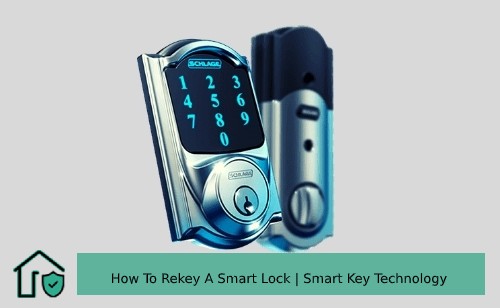
A smart lock is an electronic locking device that lets you control access to your home without a physical key. Instead of a key slot, you use a code, your fingerprint, a smartphone app, or even your voice. From the outside, many look like a standard deadbolt. Inside, the technology is completely different.
In this guide, you'll learn exactly how the components work, what you need to get started, and whether the tradeoffs make sense for your home. We'll also sort out some of the most common misconceptions floating around about smart lock security.
Contents
The Parts Behind How Smart Locks Work
A smart lock isn't magic. It's a combination of familiar mechanical parts and newer electronics working together. Once you understand each piece, the whole system clicks into place.
The Motor and Bolt Mechanism
At its core, every smart lock still uses a physical bolt — the same deadbolt or latch you'd find on a traditional lock. The difference is what moves it. A small electric motor inside the lock drives the bolt in and out. When you enter the right PIN or tap your phone, the motor fires and the bolt retracts. No key required.
- Deadbolt style — the most common type; replaces the thumb-turn on the interior side of your door
- Lever handle style — replaces the full handle and latch assembly
- Retrofit style — attaches over your existing deadbolt thumb-turn; the least invasive option, no drilling needed
Most smart locks keep the exterior keyhole as a backup. That's a good thing. If your battery dies or your phone fails, you won't be stranded outside.
Communication Protocols Explained
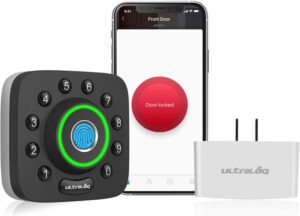
This is where smart locks differ most from one another. They use different wireless technologies to talk to your phone, hub, or smart home system. Here's a side-by-side comparison so you can see the tradeoffs clearly:
| Protocol | Range | Needs Hub? | Avg. Battery Life | Best For |
|---|---|---|---|---|
| Bluetooth | ~30 ft | No | 6–12 months | Simple phone-based access |
| Z-Wave | ~100 ft | Yes | 6–12 months | Full smart home integration |
| Zigbee | ~100 ft | Yes | 6–12 months | Amazon Echo-based smart homes |
| Wi-Fi | Unlimited (via internet) | No | 1–3 months | Remote access from anywhere |
| Thread/Matter | ~100 ft | Yes | 6–12 months | Cross-platform ecosystems |
If you want to control your lock from across the country, you need either a Wi-Fi lock or a hub-connected lock. Bluetooth-only models work only when your phone is nearby. Our roundup of the best Bluetooth door locks is a good starting point if that approach fits your needs.
Power Sources
Nearly all smart locks run on AA or AAA batteries. Most last between six months and a year under normal use. You'll get a low-battery warning through the app — or on the keypad itself — before power runs out completely. A few higher-end models offer rechargeable batteries or hardwired power, but those are the exception.
How to Set Up Your First Smart Lock
Installing a smart lock is easier than most people expect. You don't need an electrician. Most installations take under 30 minutes with just a screwdriver.
What You'll Need
- A compatible door — most smart locks fit standard US doors with a 2⅛-inch bore hole
- A Phillips-head screwdriver
- The smart lock kit (mounting hardware is usually included in the box)
- A smartphone with the manufacturer's app installed
- Your Wi-Fi password or hub already configured, depending on the model
If your door is older or non-standard, check the lock's compatibility specs first. Most brands list door thickness and backset requirements clearly on the packaging.
Step-by-Step Installation
- Remove your existing deadbolt by unscrewing the interior mounting plate and pulling out the cylinder.
- Insert the new latch assembly into the edge of the door — this typically stays the same as your old one.
- Mount the exterior keypad or touchscreen on the outside of the door.
- Attach the interior motor unit and connect the two halves through the door with the provided screws.
- Insert batteries and follow the in-app setup to pair the lock with your phone or hub.
- Test the lock manually and via the app before closing the door for the first time.
Pro tip: Always test the lock with the door propped open first — if the bolt doesn't extend and retract smoothly, adjust the strike plate before you close up.
If you run into trouble with door hardware, our guide on how to replace a front door lock covers door prep and fitting basics in more detail.
The Honest Pros and Cons of Smart Locks
Smart locks have real advantages over traditional hardware. But they also come with genuine tradeoffs. Here's a balanced look at both sides so you can decide for yourself.
What Smart Locks Do Well
- Keyless entry — no more digging for keys when your hands are full
- Access logs — see exactly who unlocked the door and when
- Temporary codes — give cleaners or contractors a code that expires automatically
- Auto-lock — the door locks itself after a set time so you never wonder if you forgot
- Remote control — lock or unlock from anywhere via app on Wi-Fi or hub models
- Smart home integration — trigger lights, cameras, or alarms when the door opens
Where They Fall Short
- Batteries die — forget to replace them and you may find yourself locked out
- App or server outages can briefly disrupt remote access
- Wi-Fi models drain batteries significantly faster than Bluetooth or Z-Wave alternatives
- Older or non-standard doors may not be compatible with most models
- Higher upfront cost compared to a standard deadbolt
Before you commit to a purchase, our in-depth article on whether smart locks are actually safe covers the security tradeoffs in much greater detail.
Smart Lock Myths You Should Stop Believing
A lot of people hold back from buying a smart lock based on things they've heard that simply aren't accurate. Let's clear up the most common ones.
Myth: They're Easy to Hack
This one comes up constantly. The reality is more nuanced. Most modern smart locks use 128-bit AES encryption — the same standard used by banks — to protect wireless signals. According to Wikipedia's overview of AES encryption, brute-forcing a 128-bit key with current computing power would take longer than the age of the universe.
That said, no lock is completely hack-proof. Cheap, unbranded locks may use weaker encryption or go years without firmware updates. Stick with reputable brands that have a track record of security patches.
- Always install firmware updates as soon as they're available
- Use a strong, unique password for your lock's app — don't reuse passwords from other accounts
- Enable two-factor authentication (2FA) wherever the app supports it
- Create individual access codes for each person rather than sharing one code broadly
Myth: They Always Need Wi-Fi
Many people assume that smart locks are useless without an internet connection. That's not accurate. Bluetooth locks work entirely offline — they talk directly to your phone within close range. Z-Wave and Zigbee locks communicate with a local hub, not the internet directly. Wi-Fi locks are the exception, not the rule.
Even most Wi-Fi locks store access codes locally on the device, so the keypad still works if your internet goes down. You just lose remote access until the connection comes back. For most households, that's a minor inconvenience, not a dealbreaker.
Smart Locks in the Real World
Understanding how smart locks work on paper is one thing. Seeing how people actually use them day-to-day is another. Here are the most common practical use cases.
Everyday Home Use Scenarios
- Kids arriving home from school — give each child their own code and get a push notification the moment they walk in
- Housekeepers and dog walkers — create a time-restricted code that only works on scheduled days and hours
- Package deliveries — some delivery services support compatible smart locks for secure drop-off inside your entryway
- Forgotten locks — check the app from your office to confirm the door is actually locked
- Visiting family — send a temporary digital key to relatives without cutting a physical copy
Beyond the Front Door
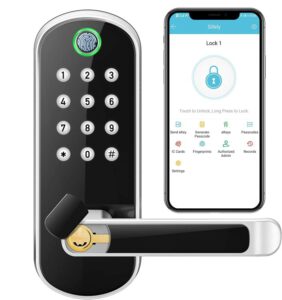
Smart locks aren't limited to front doors. People use them on garage side doors, home offices, basement storage rooms, and rental properties. Airbnb hosts have embraced smart locks especially fast. Guests receive a unique code before arrival that expires automatically after checkout — no physical key exchange, no lockbox coordination, no awkward timing issues.
Paired with a home security camera system, a smart lock becomes part of a much bigger picture. You can see who's standing outside before deciding to unlock the door remotely. That combination covers most of what a solid basic home security setup needs. You can also pair a smart lock with a front door security system for layered protection.
From Your First Lock to a Full Smart Home
You don't need to go all-in on home automation to benefit from a smart lock. You can start with something simple and expand over time as your comfort grows.
Starting Simple
If you're new to smart locks, the easiest path is a Bluetooth keypad lock. These don't require a hub, they're straightforward to install, and they work without any smart home ecosystem already in place. Install the app, set a code, and you're done in under an hour.
- Look for models from well-known brands: Schlage, Yale, August, Kwikset
- Choose one that keeps a backup physical keyhole on the exterior
- Confirm it fits your door's existing deadbolt hole dimensions before ordering
- Check that the app is available for your phone's operating system
Our guide to the best smart deadbolt locks covers top picks across different budgets and installation types if you want to compare specific models.
Going Advanced with Smart Home Ecosystems
Once you're comfortable with a basic setup, you can connect your lock to a broader smart home system. This is where smart locks really earn their keep.
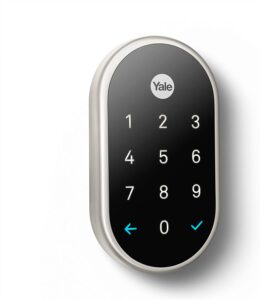
Here's what advanced integration actually looks like in practice:
- Voice control — "Hey Google, lock the front door" or "Alexa, is the door locked?"
- Automations — hallway lights turn on when you unlock the door at night; alarm disarms when you arrive home
- Geofencing — the lock automatically engages when your phone moves outside a set radius around your home
- Video doorbell pairing — see who's outside and unlock remotely without getting up from the couch
- Multi-user dashboards — manage all household members' access schedules from a single app
If you want to connect your lock specifically to Google Home, our guide on smart locks that work with Google Home walks through every compatible option available. Apple users have a similar experience through the HomeKit ecosystem with Siri voice control.
The most important decision to make early is which ecosystem you're building around — Amazon Alexa, Google Home, or Apple HomeKit. Most quality smart locks support at least one, and some support all three. Picking a lock that already fits your existing setup saves a lot of frustration later.
Frequently Asked Questions
What exactly is a smart lock?
A smart lock is an electronic deadbolt or latch that you control with a smartphone app, PIN code, fingerprint, or voice command instead of a physical key. It uses a small electric motor to move the bolt and wireless technology — Bluetooth, Wi-Fi, Z-Wave, or Zigbee — to communicate with your devices.
Do smart locks work without Wi-Fi?
Yes. Bluetooth smart locks work entirely offline — they communicate directly with your phone when you're in range. Z-Wave and Zigbee locks use a local hub rather than the internet. Only Wi-Fi locks require an active internet connection for full functionality, and even those typically keep locally stored access codes working during outages.
How long do smart lock batteries last?
Most smart locks run on AA batteries and last between six and twelve months under typical use. Wi-Fi models tend to drain batteries faster — often closer to one to three months. You'll receive a low-battery alert through the app, and sometimes on the keypad itself, before the lock loses power.
Can smart locks be hacked?
It's technically possible but very difficult with reputable brands. Most modern smart locks use 128-bit AES encryption to protect wireless communications. The more realistic security risks are weak app passwords, outdated firmware, and overshared access codes. Keeping firmware updated and using strong unique passwords reduces your exposure significantly.
Are smart locks easy to install yourself?
Most homeowners can complete the installation in under 30 minutes using just a Phillips screwdriver. Smart locks are designed to fit standard door bore holes, so no drilling is usually required. The hardware swap takes about 15 minutes, and the app pairing takes another five to ten.
What happens if the battery dies completely?
Most smart locks include a physical keyhole on the exterior as a backup, so you can use a traditional key if the battery runs out. Some models also accept a 9-volt battery held against an exterior contact point to provide enough temporary power to unlock once. Always keep a spare key somewhere accessible just in case.
Can I add a smart lock without replacing my existing deadbolt?
Yes. Retrofit smart locks mount directly over your existing deadbolt's interior thumb-turn, so you don't have to replace any hardware. They're the least invasive option and work with most standard deadbolts. Full-replacement models are also available if you want an exterior keypad or fingerprint reader added to the outside of your door.
Once you understand how smart locks work, the question isn't whether to make the switch — it's which one fits the door you already have.


About Vincent Foster
Greetings, This is Tom Vincent. I’m a home Security Expert and Web developer. I am a fan of technology, home security, entrepreneurship, and DIY. I’m also interested in web development and gardening. I always try to share my experience with my reader. Stay Connected and Keep Reading My Blog. Follow Me: Facebook, Twitter, Pinterest
Now you can get FREE Gifts. Or latest Free Security Cameras here.
Disable Ad block to reveal all the gifts. Once done, hit a button below