Last summer, a delivery driver dropped a $200 package on my front step and was gone in seconds. By the time I got home, it had vanished. I had no video, no description, nothing to give the police. That single afternoon sent me deep into researching the best wireless video doorbells — and what I learned changed how I think about front-door security entirely. If you want to compare specific models side by side, our camera reviews section is the best place to start.
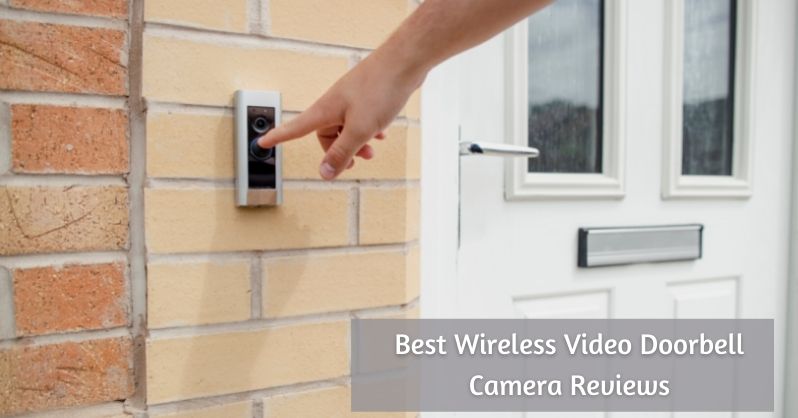
A wireless video doorbell lets you see, hear, and talk to anyone at your front door in real time — from your phone, whether you're home or three states away. No electrician needed. Most installs take under 30 minutes. According to the Wikipedia overview of video doorbells, the category exploded in popularity precisely because battery-powered models made installation accessible to almost anyone. If you're curious about the underlying technology, our breakdown of how a doorbell works fills in the gaps before you buy.
This guide covers 12 solid picks across every price range. You'll also find out when a wireless model is the right call, which buying mistakes cost people the most, how to maintain your device long-term, and how to fix the problems that frustrate owners most after setup.
Contents
Top Wireless Video Doorbells Worth Considering
These 12 models span every use case — renters who need a no-drill setup, homeowners who want the sharpest resolution available, and everyone in between. All are battery-powered or USB-powered, meaning no doorbell wiring is required.
Premium Picks
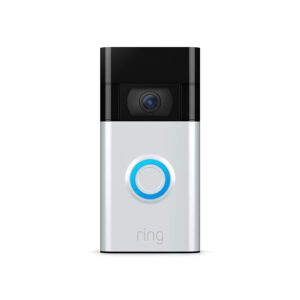
1. Ring Video Doorbell (1080p HD) — The most recognized name in this space for a reason. You get 1080p video, adjustable motion zones, two-way audio, night vision, and native Alexa integration. Cloud footage storage requires a Ring Protect subscription, but the base experience is strong. Battery-powered, with a simple magnetic charging cable. Best starting point for most homes.
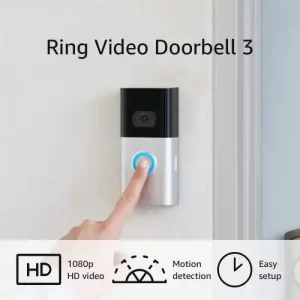
2. Ring Video Doorbell 3 — The step up that actually matters. Dual-band Wi-Fi (2.4GHz and 5GHz) means you can connect to the less-congested 5GHz band, which solves most lag and disconnection complaints. You also get a removable battery pack, so you can charge a spare while the other one is live. If your Wi-Fi router is more than 15 feet from your front door, the Ring 3 is a significantly better choice than the base model.
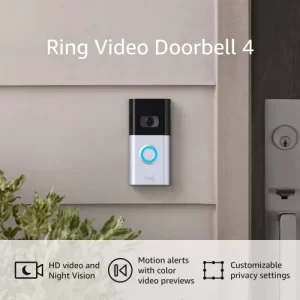
3. Ring Video Doorbell 4 — The flagship battery Ring. It adds pre-roll video: a 4-second color clip captured before motion triggers, so you see what set off the alert instead of just a shot of someone walking away. That single feature eliminates a huge source of frustration. If you've missed events on an older doorbell because the camera turned on too late, the Ring 4 fixes that directly.
Mid-Range Options
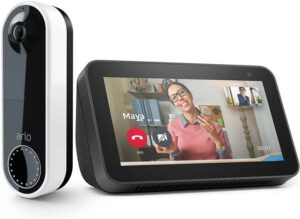
4. Arlo Essential Video Doorbell — Available in wired, wire-free, and bundle variants. The wire-free version is one of the few battery models that shoots in a 1:1 aspect ratio, meaning you see head-to-toe on visitors instead of just face and shoulders. The 180° field of view catches more porch real estate than most competitors, and Arlo's free local storage via base station means you can skip the monthly subscription entirely.
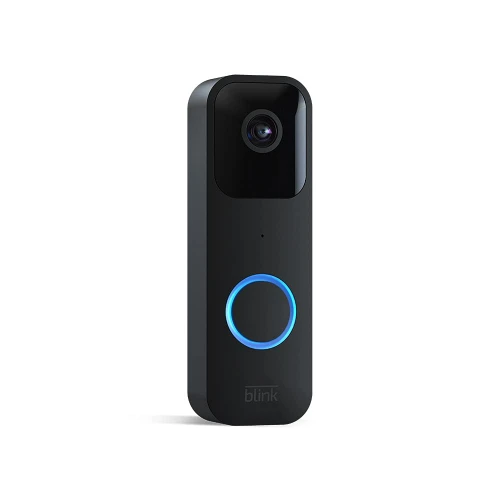
5. Blink Smart Video Doorbell — Amazon's budget answer to Ring. It runs on two standard AA lithium batteries, so no charging cable required — just swap batteries when they run out. You get 1080p HD, two-way audio, Alexa compatibility, and motion alerts. Blink's optional cloud plan is cheaper than Ring's. A solid pick for renters or secondary entrances where you don't want to over-invest.
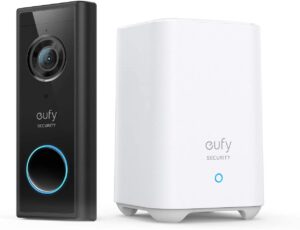
6. Eufy Security Battery-Powered Doorbell — Claims up to 120 days per charge, and in real-world use you'll realistically hit 90–100 days depending on traffic. No subscription required — it stores video locally on 16GB of internal storage. Includes a chime in the box. If you hate recurring fees and hate charging things even more, this is the model to beat. For more no-fee options, see our roundup of outdoor security cameras without subscription.
Budget-Friendly Picks
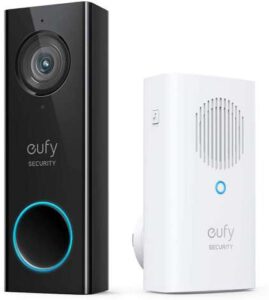
7. Eufy Security WiFi 2K — The sharpest image quality in this list. 2K resolution with human detection (filters false alerts from cars and trees) and zero subscription fees. It uses your existing doorbell wiring for power, so installation is straightforward if you have two-wire wiring already. Also pairs well with a smart deadbolt lock for a complete front-door security setup.
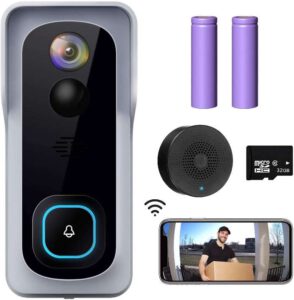
8. XTU J1 Wireless Doorbell Camera — Rare at this price: it includes both cloud storage support and a physical 32GB SD card slot. You get 1080p video, a built-in chime, two-way audio, and motion alerts. Good for first-time buyers who want local backup storage without paying a subscription and without doing extra shopping after unboxing.
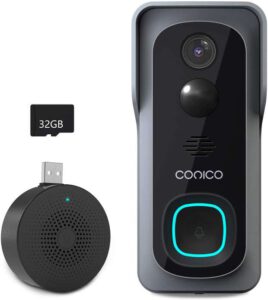
9. Conico Video WiFi Doorbell — 1080p HD with a 166° field of view, built-in chime, two-way audio, and support for both cloud and local storage. Clean app, reliable motion alerts, and a wide viewing angle that covers more of your entryway than narrower competitors. A dependable budget pick for a secondary door or apartment entrance.
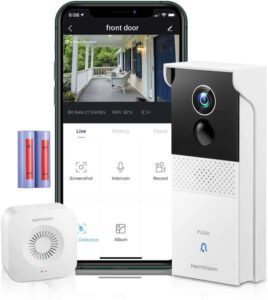
10. HeimVision Wireless Battery Powered — Runs entirely on a rechargeable battery, connects over Wi-Fi, and includes motion zone customization and two-way audio. It's not flashy, but it covers every essential feature at a price that's hard to argue with. Ideal for a rental unit or a back door where you want coverage without a big investment.
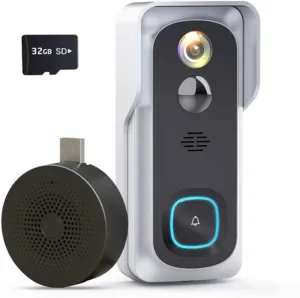
11. Geekee WiFi Doorbell Camera — Includes an indoor chime in the box, which most budget models leave out. You get 1080p video, motion detection, and two-way audio. If pairing your doorbell with the right chime matters to you, also check our guide to the best doorbell chimes to find compatible upgrade options.
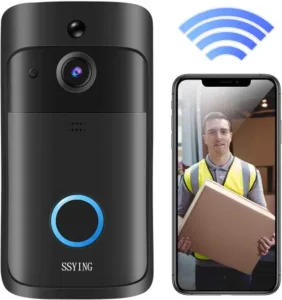
12. SSying Video Doorbell Camera — The most affordable option on this list. Basic 1080p video, motion alerts, and two-way audio. It lacks the polish of larger brands, but if your only goal is to stop package theft and screen visitors on a tight budget, it gets the job done.
Quick Comparison Table
| Model | Resolution | Power Source | Subscription | Local Storage | Best For |
|---|---|---|---|---|---|
| Ring Video Doorbell | 1080p | Battery | Optional | No | Alexa households |
| Ring Video Doorbell 3 | 1080p | Battery | Optional | No | Congested Wi-Fi |
| Ring Video Doorbell 4 | 1080p | Battery | Optional | No | Pre-roll video |
| Arlo Essential Wire-Free | 1080p | Battery | Optional | Yes (base station) | Full-body FOV |
| Blink Smart Doorbell | 1080p | AA batteries | Optional | Yes (USB drive) | Renters |
| Eufy Battery (120-day) | 1080p | Battery | None | Yes (16GB built-in) | Long battery life |
| Eufy WiFi 2K | 2K | Wired (2-wire) | None | Yes (32GB built-in) | Sharpest image |
| XTU J1 | 1080p | Battery | None | Yes (32GB SD) | SD card + cloud |
| Conico | 1080p | Battery | None | Yes | Wide FOV |
| HeimVision | 1080p | Battery | None | Yes | Budget battery |
| Geekee | 1080p | Battery | None | Yes | Chime included |
| SSying | 1080p | Battery | None | Yes | Lowest cost |
Is a Wireless Video Doorbell Right for Your Home?
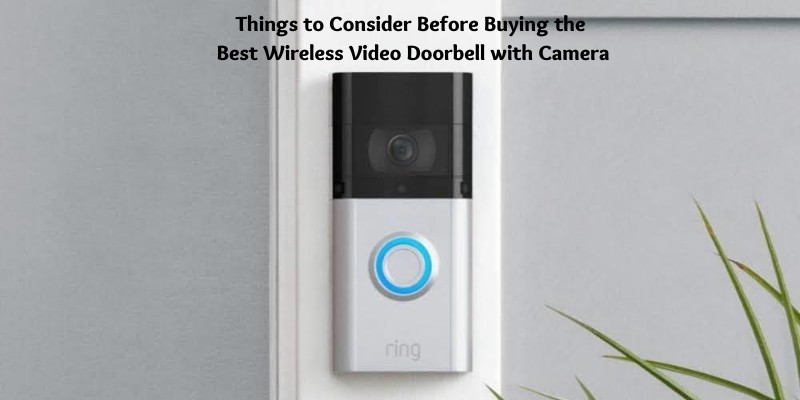
Not every home needs the same solution. Knowing when a wireless model fits your situation — and when it doesn't — saves you from returning it two weeks later.
When You Should Get One
A wireless video doorbell is the right move when:
- You rent your home and can't modify wiring
- Your current doorbell is analog with no camera
- You receive frequent deliveries and want a record
- You want to screen visitors remotely while traveling
- You're building out a broader home security setup — pair it with a smart deadbolt lock for a complete entry-point solution
- You've had package theft, vandalism, or suspicious activity at your door
- You want to talk to visitors without opening the door
Even a basic model gives you something you don't have right now: a timestamped video record that police and insurance companies can actually use.
When to Skip Wireless
Wireless isn't always the best answer. Consider a wired model instead if:
- You have existing two-wire doorbell wiring and want zero battery management
- Your door sees very high visitor volume (100+ daily) and you need maximum uptime
- Your router is far from the front door and you get poor Wi-Fi signal there
- You want 24/7 continuous recording rather than motion-triggered clips
If you do have existing wiring and want to understand how it all connects, our step-by-step guide on how to wire a doorbell walks you through it clearly. Wired models generally deliver more reliable uptime at high-traffic front doors, but for most homes, wireless is the faster and simpler path.
Buying Mistakes That Cost You Later
Most people regret their doorbell purchase not because they bought the wrong brand, but because they ignored a few key details before hitting order. Here are the ones that matter most.
Pro tip: before buying any model, stand at your front door and check your phone's Wi-Fi signal strength — if it's weak there, no doorbell will perform reliably no matter how good the specs look on paper.
Overlooking Key Features
- Skipping local storage: If your Wi-Fi goes down or you cancel a cloud plan, you lose all footage. Models with a built-in SD card or local storage protect you from that gap.
- Ignoring field of view: A 90° FOV misses package thieves who approach from the side. Look for at least 150° horizontal coverage.
- Forgetting about night vision: Most theft and suspicious activity happens at night. Confirm your pick has infrared night vision, not just "low-light mode."
- Choosing based on brand alone: A $40 Geekee or XTU with local storage will serve you better than a $200 Ring with no footage if you cancel your subscription and forget about it.
- Not considering security risks: Any internet-connected camera is a potential attack surface. Our guide on whether home security systems can be hacked covers what to watch for and how to reduce your risk.
Setup Errors That Kill Performance
- Mounting too high: More than 48 inches off the ground and you'll capture the tops of heads, not faces. Mount at face level for usable footage.
- Pointing into direct sunlight: West-facing doors in afternoon light blow out the image. Angle the camera slightly downward or use a wedge mount to compensate.
- Skipping motion zone setup: Out-of-the-box settings trigger on every passing car. Spend 10 minutes in the app setting zones around your porch only — it cuts false alerts by 70% or more.
- Not testing two-way audio: Microphone quality varies a lot. Test it with a visitor before assuming it works. A doorbell you can't hear through is useless.
- Ignoring the chime: If your phone is on silent, a doorbell press goes unnoticed. Make sure you either have a wired chime connected or a Wi-Fi chime included with the model you pick.
Keeping Your Doorbell Camera in Top Shape
A wireless video doorbell isn't a set-it-and-forget-it device. A little regular attention keeps it working the way it did on day one.
Battery Care
- Charge before it dies completely: Lithium batteries last longer when you recharge them at 20–30% remaining rather than letting them drain to zero.
- Cold weather kills battery life fast: Below 40°F (4°C), expect your battery to drop to 50–60% of its normal capacity. Keep a spare charged during winter months.
- Set up low-battery alerts: Every major app has a battery notification setting. Turn it on so you get a push alert before the camera goes offline, not after.
- Schedule a seasonal charge: If your door gets low traffic, add a calendar reminder every 90 days to check and top up the battery.
Lens and Camera Care
- Clean the lens monthly: Dust, spiderwebs, and water spots degrade image quality noticeably over time. Use a microfiber cloth and lens-safe cleaner — never a paper towel.
- Check the housing seal after heavy rain: Budget models sometimes let moisture in. If you see fog inside the lens, the housing seal has failed and you need a replacement.
- Recheck mounting screws every six months: Vibration from wind and traffic works screws loose slowly. A loose mount creates camera shake that makes footage unusable.
- Update firmware regularly: Security patches come through firmware updates. Open your app quarterly and check for updates — it takes less than two minutes and closes known vulnerabilities.
Fixing Common Wireless Doorbell Problems
These are the issues that come up most often after installation — and the fixes that actually work.
Connectivity Issues
Your doorbell keeps going offline or showing a "poor connection" warning. Here's how to diagnose it:
- Test your Wi-Fi signal at the door. Use your phone's Wi-Fi analyzer app standing exactly where the doorbell is mounted. Anything below -70 dBm (decibels relative to milliwatt — a measure of signal strength) will cause dropouts.
- Switch to 2.4GHz if you're on 5GHz. Higher frequency means shorter range. If your router is more than 20 feet away with walls in between, 2.4GHz penetrates better.
- Add a Wi-Fi extender or mesh node. Place it halfway between your router and front door. This is the single most reliable fix for weak-signal problems.
- Check for interference. Baby monitors, microwaves, and neighboring Wi-Fi networks can interfere. Change your router channel to a less congested one (1, 6, or 11 for 2.4GHz).
- Restart your router and the doorbell. Obvious but effective — resolves about 30% of unexplained connectivity issues.
If you're dealing with a doorbell that records only when motion is triggered (rather than continuously), understanding the difference between camera types helps. Our breakdown of PTZ cameras vs. bullet cameras explains why fixed-lens doorbells behave differently from pan-and-tilt security cameras and when each type makes more sense.
Motion Detection Problems
Either you're getting too many alerts or missing events entirely. Both have specific fixes:
Too many false alerts:
- Reduce your motion sensitivity setting by one or two notches in the app
- Draw a tighter motion zone that excludes the street and neighboring sidewalk
- Enable "human detection" or "person detection" if your model supports it — it ignores cars, shadows, and animals
Missing actual events:
- Increase motion sensitivity — most models ship on medium settings that miss slow-moving or far-away visitors
- Confirm your phone's notification permissions for the doorbell app are set to "Allow" and not "Deliver Quietly"
- Check that your app is not in battery-saver mode on Android, which delays or blocks push notifications
- If you're missing fast-moving events, look for a model with pre-roll video like the Ring 4 — it captures the seconds before motion triggers
Motion detection failures are the top complaint among doorbell owners. Spending 15 minutes in your app's settings after install prevents 90% of them.
The best wireless video doorbell is the one you actually trust to be watching — not the one with the most features collecting dust because setup was never finished.


About Vincent Foster
Greetings, This is Tom Vincent. I’m a home Security Expert and Web developer. I am a fan of technology, home security, entrepreneurship, and DIY. I’m also interested in web development and gardening. I always try to share my experience with my reader. Stay Connected and Keep Reading My Blog. Follow Me: Facebook, Twitter, Pinterest
Now you can get FREE Gifts. Or latest Free Security Cameras here.
Disable Ad block to reveal all the gifts. Once done, hit a button below