A study by consumer researchers found hidden cameras in roughly 1 in 10 short-term rental properties inspected — and that number has only grown as the technology gets cheaper. Knowing how to detect hidden cameras with your phone is one of those skills that sounds paranoid until you actually need it. Whether you're checking into a vacation rental, walking into a gym locker room, or taking over a new apartment, your smartphone carries everything required to run a meaningful sweep in under five minutes. For more on protecting your personal privacy at home and on the road, SecureOne's privacy resource guides are a solid place to start.
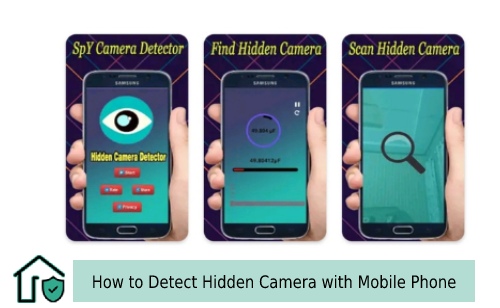
Hidden cameras have gotten remarkably small. A working night-vision camera now fits inside a USB wall charger, a smoke detector, or an alarm clock — and costs under $20 online. That makes a visual inspection alone unreliable. Your smartphone, though, carries sensors these devices can't easily fool: a front camera that picks up infrared light, a Wi-Fi radio that can scan a network for unknown devices, and access to specialized detection apps that combine both signals.
Three core detection methods work together: infrared scanning through your phone's camera, network scanning to catch Wi-Fi cameras, and dedicated detection apps. Each covers different camera types, so using all three gives you the most complete picture. The sections below walk through each one in full.
Contents
- The Hidden Camera Problem Is Bigger Than You Think
- How to Detect Hidden Cameras with Your Phone
- What It Actually Costs to Check a Room
- What Your Phone Catches — and What Slips By
- What to Do When Something Looks Off
- Real Stories from Renters Who Found Hidden Cameras
- How to Stay Private Wherever You Go
- Frequently Asked Questions
- Key Takeaways
The Hidden Camera Problem Is Bigger Than You Think
Where Hidden Cameras Are Typically Planted
Privacy violations involving concealed cameras happen most often in places people feel safest — bedrooms, bathrooms, and rental accommodations. According to Wikipedia's overview of hidden cameras, the technology has moved well beyond spy-movie gadgets into mass-produced consumer products anyone can order online. A camera capable of recording HD footage and streaming it over Wi-Fi now costs less than a restaurant meal, which has made illegal surveillance accessible to bad actors who couldn't have managed it a decade ago.
Vacation rentals in particular have seen a surge in reported incidents. Cameras have turned up inside smoke detectors, digital clocks, picture frames, air purifiers, USB chargers, and even stuffed animals. The hiding spots share two things in common: they look like ordinary objects you wouldn't normally move or inspect, and they're aimed toward a bed or bathroom. When you first enter a new space, pay close attention to any object with a small hole, a reflective surface, or an unusual orientation toward a sleeping or changing area.
Pro tip: Turn off every light in the room and look for faint blinking LEDs or tiny glowing points. Many hidden cameras have a status indicator that's nearly invisible in daylight but obvious in total darkness.
How to Detect Hidden Cameras with Your Phone
Using Your Front Camera to Spot IR Light
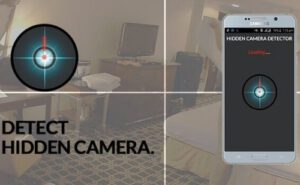
Most hidden cameras use infrared (IR) night-vision technology to record in low light. The human eye can't see IR light, but your phone's front-facing camera usually can. Open your camera app, switch to the front camera, close the curtains, turn off all the lights, and slowly pan the phone across every corner of the room. If a camera is running IR illumination, you'll see a purple or white glow on your screen — visible even though the room looks completely dark to your eyes.
The front camera works for this because most rear cameras have an IR-blocking filter installed. To confirm your phone is capable, point the front camera at a TV remote and press any button. If you see a bright flash on your screen, your phone will pick up IR from a hidden camera too. Sweep every room systematically, paying particular attention to smoke detectors, wall outlets, and any device pointed toward the bed.
Scanning the Wi-Fi Network for Unknown Devices
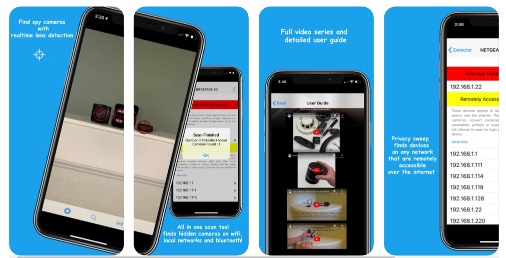
Wireless hidden cameras transmit footage over Wi-Fi, which means they appear on the same network you're connected to. Download the free app Fing (available on iOS and Android), connect to the property's Wi-Fi, and run a scan. Fing lists every device on the network along with manufacturer names. Anything labeled as a camera brand, an IP camera, or a generic "network device" with no clear identity deserves a closer look.
If the property has a guest network separate from the host's private network, cameras on that private network won't show up. Still, most opportunistic camera installations use the single shared network available — so this sweep catches a meaningful portion of real-world threats. The network behavior of hidden cameras also ties into a broader vulnerability pattern that we cover in our guide on how home security systems can be hacked.
The Best Detection Apps
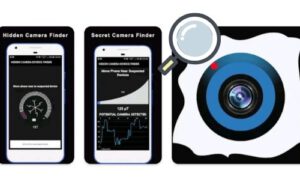
Dedicated detector apps automate and combine the IR and network methods above. Some also activate your phone's magnetometer — a magnetic field sensor — which can react to the small electromagnets inside camera motors. Below are the most widely used options across both platforms:
| App |
Compatible OS |
Fee |
| Hidden Camera Detector |
iOS/Android |
Free (in-app purchase) |
| Hidden IR Camera Detector |
Android |
Free |
| Glint Finder |
Android |
Free |
| Hidden Spy Camera Detector |
iOS |
Paid |
| DontSpy2 – detector | iOS | Paid |
When running any of these apps, move slowly and hold your phone within a few inches of suspicious objects when the magnetometer feature is active. A clean result from one app doesn't mean the room is clear — run at least two methods before you conclude nothing is there.
What It Actually Costs to Check a Room
Free vs. Paid Detection Options
Your phone's built-in front camera costs nothing to use, and the most capable detection apps — Fing, Glint Finder, Hidden IR Camera Detector — are completely free. A solid phone-based sweep costs you nothing but five minutes.
If you want to go further, a portable RF (radio frequency) detector runs between $20 and $80 at most online retailers. These devices pick up the radio signals that wireless cameras broadcast, even when the camera is on a separate network your phone can't reach. They're small enough for a travel bag and fill a real gap that network scanning leaves. Professional TSCM (Technical Surveillance Countermeasures) sweeps — the kind used by executives and government security teams — run from several hundred to several thousand dollars per room and use hardware far beyond consumer grade.
For most travelers, the free phone method plus a $25–$30 RF detector covers the vast majority of hidden cameras you're realistically likely to encounter. The professional tier is genuine overkill unless the stakes are unusually high.
What Your Phone Catches — and What Slips By
The Real Limits of Phone-Based Detection
Phone-based detection works well for the most common class of hidden cameras: cheap, mass-market devices that rely on IR night vision and Wi-Fi streaming. But it has real blind spots you need to understand before you trust a clean result.
IR scanning only catches cameras actively running infrared illumination. A daylight-only camera with a visible-light sensor produces no IR glow at all. Network scanning only catches cameras on the network you're scanning — a camera on the host's private network, or a wired camera recording directly to an SD card, generates no signal on the guest network whatsoever.
Magnetometer-based detection is limited by the sensitivity of consumer phone hardware. It supports the other two methods but shouldn't be treated as a standalone test. Understanding the hider's logic also sharpens your sweep — our guide on how to hide a security camera in plain sight explains placement principles that apply equally to legitimate security setups and illegal concealment.
Warning: A clean phone sweep doesn't guarantee a room is clear. Always combine the IR scan, the network scan, and a careful visual inspection — each method catches what the others miss.
What to Do When Something Looks Off
Steps to Take If You Find a Suspected Camera
Finding something suspicious doesn't automatically mean you've confirmed a hidden camera — verify first. Many smart home devices look similar to covert cameras: motion sensors, smart plugs, and Wi-Fi extenders all share that small-black-box profile. If it's safe to do so, unplug the item and examine it for a lens hole, a pinhole aperture, or a charging connection that doesn't match the device's stated purpose.
If you believe you've found an actual hidden camera in a rental, don't destroy it. Photograph the object, its exact location, and any connecting wires. Cover the lens with a piece of opaque tape or clothing to block it while you take action. Then contact the rental platform — Airbnb and VRBO both have dedicated teams for exactly this situation. Request a full refund and an alternative property.
File a report with local police using your photographs as evidence. Many guests skip this step, but a police report creates a permanent record that protects you and helps authorities track repeat offenders. For a sense of what legitimate, transparent camera placement looks like by comparison, our guide on home security cameras without a subscription covers above-board setups in detail.
Real Stories from Renters Who Found Hidden Cameras
Lessons Learned from Real Incidents
In 2019, a family vacationing in Ireland discovered a hidden camera inside a smoke detector in their Airbnb bedroom. They found it using the front-camera IR sweep described above. The camera was streaming live footage over the property's Wi-Fi — a network scan would have caught it too. The host was removed from the platform and prosecuted under Irish surveillance law. Their account, covered by multiple major outlets, became one of the incidents that pushed Airbnb to overhaul its anti-surveillance policies.
A separate case in New Zealand involved a camera embedded inside a digital clock. The renter noticed the clock had been recently moved and, on closer inspection, found a camera module and SD card inside. No Wi-Fi streaming was involved — footage went straight to local storage. A network scan would have returned nothing. This case illustrates exactly why layered detection is non-negotiable: no single method catches every camera type.
Both incidents share a pattern: the renters who found the cameras actually looked. A five-minute sweep before unpacking is all it takes. If you're also thinking about physical security when you're away from home, our guides on how to open a hotel door lock and the differences between PTZ and bullet cameras give useful context for evaluating the hardware you encounter.
How to Stay Private Wherever You Go
Building a Room-Sweep Routine
The most effective protection is consistency. Run the same sweep every time you check into a new space and it becomes automatic — like locking the door behind you. Start with a visual pass in normal lighting. Look at every object that could conceal a lens: smoke detectors, clocks, wall outlets, USB chargers, picture frames. Then close the curtains, kill the lights, and run your front-camera IR sweep across every corner. Finish with a network scan using Fing or a similar tool.
Keep a small strip of black electrical tape in your travel kit. If you find something suspicious that you can't immediately verify, tape over the potential lens while you investigate. It neutralizes the threat without destroying evidence — the right move before you involve the platform or the police.
A few booking habits reduce your exposure too. Read reviews carefully for any mention of privacy concerns. Listings with unusually few interior photos, or photos that conspicuously avoid showing bedrooms, deserve extra scrutiny before you book. And understanding how wireless camera signals actually behave — including the technical ways they can be disrupted — is covered in our guide on how wireless security cameras can be disrupted.
Frequently Asked Questions
Can my phone actually detect a hidden camera?
Yes, reliably for a large portion of hidden cameras. Your phone's front-facing camera picks up the infrared light that most night-vision cameras emit. Combined with a Wi-Fi network scan to catch wirelessly streaming devices, you cover the two most common camera types found in rental properties and hotel rooms.
Does the front camera work on all smartphones?
Most front-facing cameras work for IR detection because they lack the IR-blocking filter built into most rear cameras. Test yours by pointing it at a TV remote and pressing a button — if you see a bright glow on screen, your phone is ready to sweep a room effectively.
What is the best app for detecting hidden cameras?
For Android, Glint Finder and Hidden IR Camera Detector are both free and highly rated. For iOS, Hidden Camera Detector combines IR and magnetic scanning in one interface. For network-based detection on either platform, Fing is the most reliable free option and should be part of every sweep.
What should I do immediately after finding a hidden camera in a rental?
Document the camera with photographs before touching anything. Cover the lens with opaque tape or fabric, then contact the rental platform right away to report the incident and request a refund and alternative accommodation. File a police report with your photographic evidence — this protects you legally and helps authorities build a case.
Can a hidden camera have no Wi-Fi signal at all?
Yes. Cameras that record directly to a local SD card produce no network traffic and won't appear in any Wi-Fi scan. This is exactly why the IR sweep and visual inspection are just as important as the network scan — relying on any single method will leave gaps in your coverage.
Is checking for hidden cameras in a hotel room different from checking a vacation rental?
The same three-method sweep applies in both settings. In hotel rooms, pay extra attention to alarm clocks, USB charger hubs, and smoke detectors positioned near the bed. If you find something suspicious, alert hotel management immediately and request a different room while they investigate rather than handling it yourself.
Key Takeaways
- Your phone's front-facing camera detects the infrared light most night-vision hidden cameras emit, making it a free and immediately available first tool for any room sweep.
- Combining an IR scan in total darkness, a Wi-Fi network scan, and a careful visual inspection covers the three major categories of hidden cameras you're likely to encounter.
- If you find a suspected camera, photograph it, cover the lens, and report it to both the rental platform and local police — filing that police report is the step most guests skip and later regret.
- Free tools handle the overwhelming majority of real-world threats; a $25–$30 RF detector is the only hardware upgrade worth adding for frequent travelers.


About Vincent Foster
Greetings, This is Tom Vincent. I’m a home Security Expert and Web developer. I am a fan of technology, home security, entrepreneurship, and DIY. I’m also interested in web development and gardening. I always try to share my experience with my reader. Stay Connected and Keep Reading My Blog. Follow Me: Facebook, Twitter, Pinterest
Now you can get FREE Gifts. Or latest Free Security Cameras here.
Disable Ad block to reveal all the gifts. Once done, hit a button below