Last spring, a friend of mine had a delivery driver leave two packages at the wrong address — and by the time anyone noticed, they were gone. That one frustrating experience sent him down a weekend-long research spiral trying to figure out whether a video doorbell, a security camera, or both would actually solve his problem. The debate over video doorbell vs security camera is more nuanced than most product comparison pages let on. If you're working through the home security guides trying to make a confident decision, this breakdown covers everything you need.
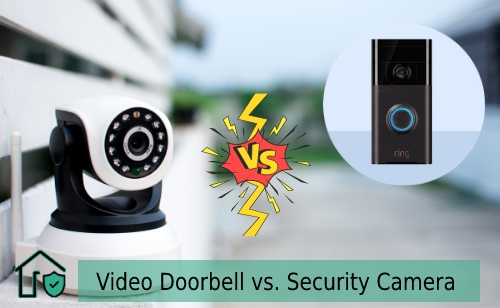
Both devices connect to your smartphone, record video, and send motion alerts. But they're built around different problems. A video doorbell is purpose-built for your front door — it watches who approaches, lets you talk to visitors, and rings like a traditional doorbell. A security camera is a more general-purpose surveillance tool. You can mount it anywhere: a garage corner, a backyard fence, a driveway approach, or a side gate. Choosing between them starts with understanding what each one is actually designed to do.
This guide walks you through how each device works, which situations call for one over the other, how to install and maintain them, and how to build a setup that covers your whole property — not just the front door.
Contents
- Understanding What Each Device Does
- Video Doorbell vs Security Camera: Which Fits Your Situation?
- Setting Up Your Device Without the Headaches
- Entry-Level Models vs. Full-Featured Systems
- Getting More Out of Whichever You Choose
- Simple Maintenance That Keeps Devices Running
- Building a Complete Home Security Strategy
- Frequently Asked Questions
- Next Steps
Understanding What Each Device Does
Before weighing your options, it helps to understand what each device is actually engineered for. They overlap in some features but diverge significantly in design, purpose, and what they can realistically cover.
How Video Doorbells Work
A video doorbell replaces or supplements your existing front-door bell. It mounts at your entry point and gives you several things at once:
- A wide-angle camera (typically 150–180° horizontal) trained on the door and its immediate approach
- A motion sensor that starts recording when someone walks up — even before they press the button
- A two-way microphone and speaker so you can speak with visitors remotely from your phone
- A physical button visitors press to alert you — whether you're inside or away from home
- Infrared or color night vision for low-light conditions
Most wired models tie into your existing doorbell circuit. Battery-powered alternatives skip the wiring entirely but require periodic recharging. When someone triggers the sensor or rings the bell, you get a push notification with a live feed — you can answer from anywhere. Some models work with your existing doorbell chime box, while others use a separate plug-in chime unit.
How Security Cameras Work
A security camera is a general-purpose surveillance device. It doesn't have a button — it just watches continuously or records when triggered. Key characteristics include:
- Flexible mounting options: wall brackets, eave mounts, pole mounts, or magnetic bases
- Field of view options ranging from narrow telephoto to wide-angle, sometimes with pan-tilt-zoom capability
- Weatherproofing rated for outdoor exposure (look for IP65 or IP67)
- Local or cloud-based video storage, depending on the system
- Customizable motion detection zones defined in the companion app
According to Wikipedia's overview of closed-circuit television, modern IP security cameras transmit footage digitally over a network rather than via dedicated coaxial lines — which is why today's consumer cameras integrate so cleanly with home Wi-Fi and smartphone apps.
Key Technical Differences at a Glance
Here's where the two device types genuinely diverge:
- Fixed vs. flexible placement: doorbells go at the door; cameras go wherever coverage is needed
- Visitor interaction: only video doorbells have a button for visitors to press
- Two-way audio: standard on doorbells, available on some cameras but not universal
- Installation: doorbells often tie into existing low-voltage wiring; cameras need a mount and independent power source
- Coverage angle: doorbells optimize for the entry point; cameras can cover wide-area zones
Video Doorbell vs Security Camera: Which Fits Your Situation?
The right answer depends almost entirely on what problem you're trying to solve. Let's walk through the scenarios where each one pulls ahead.
When a Video Doorbell Makes More Sense
A video doorbell is usually the better fit if:
- You receive frequent deliveries and want to monitor package drop-offs and redirect couriers
- You want to see and speak with visitors — service workers, neighbors, strangers — without opening the door
- Your main concern is front-door activity, not broader property surveillance
- You live in an apartment or rental where drilling for camera mounts isn't practical
- You want a setup that's easy for all household members to use, regardless of technical comfort level
- You already have doorbell wiring and want a straightforward upgrade
Video doorbells are particularly useful for households where no one is home during working hours. Being able to answer the door remotely — and speak directly with delivery drivers or unexpected visitors — has real, day-to-day practical value that goes beyond security.
When a Security Camera Is the Better Choice
Lean toward a security camera when:
- You need to monitor areas beyond the front door — side yard, backyard, garage, or driveway
- Your property has multiple entry points that each need dedicated coverage
- You want higher resolution footage for identification purposes
- You need a device that connects into a larger security camera system already installed at your home
- You're running wired installations in locations where reliability matters most
- A specific area of your property has had incidents — break-in attempts, vandalism, trespassing
Security cameras give you control over what you watch and how you watch it. If someone has been testing your back gate at night, a camera covering that zone will catch it. A doorbell won't. Coverage placement drives outcomes more than brand or price.
Homes That Benefit From Both
In many cases, the better answer isn't video doorbell vs security camera — it's both, deployed strategically. A layered approach lets you:
- Handle front-door visitor interaction with a video doorbell
- Cover secondary entry points, the driveway, and the yard with fixed cameras
- Create overlapping zones so there are no coverage gaps between devices
- Use two-way audio at the front door while relying on motion-triggered recording elsewhere
You don't need to buy everything at once. Start with your highest-risk entry point, dial in that coverage, and expand from there once you know where the gaps actually are.
Setting Up Your Device Without the Headaches
Installation is where most people run into unexpected friction. Here's what to realistically expect for each device, and where the common stumbling blocks show up.
Installing a Video Doorbell
If you're replacing an existing wired doorbell, the process is relatively straightforward:
- Turn off power at the breaker — never work on live doorbell wiring, even though it's low voltage
- Remove your old doorbell button and note how the wires are connected to the terminals
- Connect the existing wires to the new doorbell's terminals (most systems use two low-voltage wires, and polarity usually doesn't matter)
- Attach the mounting bracket to the wall, then click the doorbell unit into place
- Restore power, then download the companion app and follow its setup wizard
- Adjust motion sensitivity and draw your detection zones through the app interface
Battery-powered models skip the wiring entirely — you attach the bracket, snap in the unit, and connect through the app. The trade-off is battery management: most battery doorbells need a recharge every 1–3 months depending on traffic volume.
If you're unsure whether your existing chime is compatible, this guide to fixing a doorbell chime box explains how doorbell wiring and transformer requirements work in plain terms.
Mounting a Security Camera
Placement decisions matter more than most people realize. Before you drill anything:
- Identify the zones you need to cover and walk those areas — you'll often find blind spots you hadn't considered
- Choose between wired (more reliable, more complex to install) and wireless (more flexible, requires battery or solar management)
- Check the camera's stated field of view against the actual area you're covering — wider isn't always better for identification
- Mount at 9–10 feet high to prevent tampering while still capturing faces at a useful downward angle
- Angle the camera so the approach path is captured 10–20 feet out, not just the immediate spot beneath the mount
Connecting to Your Network and App
Both video doorbells and security cameras use Wi-Fi in most consumer setups. A few things to verify before you finalize placement:
- Confirm your router's 2.4 GHz band is active — many cameras don't support 5 GHz
- Test signal strength at the mount location using your phone before drilling (aim for -65 dBm or better)
- Use a strong, unique password for the device account — avoid reusing credentials from other services
- Enable two-factor authentication in the app wherever it's available
- Check whether the app supports local or cloud storage, and configure your preferred recording mode before the device goes live
Understanding how home security systems handle access and authentication will help you set realistic expectations for what a networked device can and can't do in your specific setup.
Entry-Level Models vs. Full-Featured Systems
The gap between a $60 video doorbell and a $280 model is real — but it's not always about build quality. Knowing what you're paying for helps you avoid spending money on features you'll never use.
What Budget Options Actually Deliver
Entry-level models in the $50–$130 range cover the essentials reliably:
- 1080p video quality — sufficient for recognizing faces at normal doorbell distances
- Motion alerts and live viewing from your smartphone
- Basic infrared night vision
- App-based setup with guided configuration
What budget models often lack: flexible local storage (cloud subscription required for video history), color night vision, fine-grained AI detection, and deep smart home platform integration. If your use case is simple — watch who comes to the door, get alerts, and review clips occasionally — a budget model handles that well.
What You Get When You Spend More
Mid-range to premium models in the $150–$350 range typically add meaningful upgrades:
- 2K or 4K resolution for clearer detail and better digital zoom
- Color night vision using ambient light enhancement or built-in spotlights
- AI-based detection: person, package, vehicle, animal — with far fewer false alerts
- Local storage options (microSD, NVR) to reduce or eliminate subscription dependency
- Deep integration with Google Home, Amazon Alexa, or Apple HomeKit
| Feature | Budget ($50–$130) | Mid-Range ($150–$250) | Premium ($250+) |
|---|---|---|---|
| Video Resolution | 720p–1080p | 1080p–2K | 2K–4K |
| Night Vision | Black & white infrared | Color (spotlight or sensor) | Full-color, extended range |
| Motion Detection | Basic zone triggers | Person / package detection | AI multi-object, facial zones |
| Storage | Cloud only (subscription) | Cloud + local option | Local + cloud hybrid |
| Smart Home | Limited or none | Alexa, Google, or HomeKit | Full multi-platform support |
| Two-Way Audio Quality | Standard mic/speaker | Noise-canceling mic | Enhanced with echo reduction |
| Field of View (typical) | 110–130° | 140–160° | 160–180°, some with PTZ |
Getting More Out of Whichever You Choose
Buying the right device is step one. Getting it to actually perform well takes a few extra steps that most people skip during setup.
Placement Tips That Make a Real Difference
- Avoid pointing cameras directly at bright ambient light sources — backlighting washes out the image and makes faces unreadable
- For video doorbells, mount the button at roughly 48 inches from the ground — comfortable chest height for most adults
- Capture the approach path, not just the door itself — you want to record someone 10–20 feet before they reach the entry point
- Check the camera's view from multiple angles before finalizing the mount — what looks complete on paper often has real-world blind spots
- Keep the lens physically clean — dust, spider webs, and moisture are among the most common causes of degraded footage quality
- For outdoor cameras, orient the lens slightly downward and away from direct sunlight to reduce glare and improve contrast
Pro tip: Do a test walk in front of your camera at dusk — that's when most motion detection algorithms underperform, and you'll quickly discover gaps in your detection zone that daytime testing won't reveal.
Settings Most People Ignore
Your device is only as effective as its configuration. Spend 15–20 minutes on these settings before you consider the setup complete:
- Motion sensitivity threshold: too high triggers false alerts from passing cars or tree branches; too low misses slow or lateral approaches
- Custom detection zones: exclude the public sidewalk so street-level traffic doesn't flood your notifications
- Activity schedule: set quiet hours so middle-of-the-night deliveries or early morning events don't wake everyone up
- Cloud recording duration: check whether your plan retains 7, 14, or 30 days of history — this matters when you need to pull footage from last week
- Firmware updates: check monthly and apply updates — manufacturers patch security vulnerabilities in these releases
If you're pairing your camera system with a smart lock, it's worth reading up on whether smart locks are actually safe — the same network security principles apply directly to cameras.
Simple Maintenance That Keeps Devices Running
A video doorbell or security camera that hasn't been maintained in 18 months is probably not working as well as you assume. A small amount of regular attention extends the life of your equipment and keeps your coverage reliable.
Routine Checks to Run Every Few Months
- Clean the camera lens with a soft microfiber cloth — never use abrasive materials or harsh cleaners
- Check for app and firmware updates and apply them promptly
- Pull up recent footage and verify image quality — look for fogging, discoloration, or unexpected dark areas
- Inspect mounting brackets for corrosion, rust, or loosening — especially after winter or heavy rain
- Test motion detection by walking in front of the camera during the day and again at night, then confirming alerts arrive on your phone
- For battery-powered devices, check the charge level in the app and recharge before it drops below 20%
Warning: If your wired video doorbell footage looks dim or grainy at night, check your transformer's output voltage before replacing the unit — an underpowered or failing transformer (below 16V AC) is a common cause that's easy and inexpensive to fix.
When to Replace vs. Repair
Not every performance issue means you need a new device. Here's how to think through it:
- Intermittent connectivity drops: usually a router or Wi-Fi signal issue — try repositioning your router or adding a mesh node before assuming hardware failure
- Gradual image quality decline: clean the lens first; if the problem persists, check for moisture intrusion inside the housing
- Motion detection misses: recalibrate zones and sensitivity settings before concluding hardware is at fault
- Manufacturer no longer releasing updates: this is a genuine reason to replace — unpatched firmware means unaddressed security vulnerabilities
- Physical impact damage: evaluate whether the weatherproof seal is compromised; if so, replace the unit
Building a Complete Home Security Strategy
One device — doorbell or camera — solves one piece of the puzzle. A complete strategy means thinking across your whole property and designing each component to complement the others.
Layering Devices for Full Coverage
Think in coverage zones, not individual products:
- Front entry: a video doorbell handles visitor interaction; a wide-angle camera nearby captures the full driveway approach
- Side access paths and gates: motion-triggered cameras positioned at face-capture height covering each possible route to the backyard
- Rear of property: wide-angle or pan-tilt cameras covering the perimeter, ideally paired with motion-activated lighting
- Garage: a dedicated camera or a smart sensor setup depending on whether you need video evidence or just access control alerts
Overlapping coverage zones matter significantly. If Camera A covers the driveway from the left and Camera B covers it from the right, a person can't cross without being recorded from at least one angle. That redundancy is a genuine deterrent, not just a technical nicety.
Start with the highest-risk or most-used entry point on your property. Get that coverage working well before expanding. You'll learn more from one device configured properly than from three deployed carelessly.
Integrating Smart Locks and Alarms
Cameras and doorbells become significantly more effective when paired with smart locks and alarm systems:
- A video doorbell that shows you someone at the door is more useful if you can also remotely unlock the door for a trusted visitor without issuing a physical key
- Smart lock audit logs tell you exactly when a door was opened — video footage confirms who was at the door and when they arrived
- In some systems, motion detected by a camera can automatically arm your indoor alarm if you're not home
- For rental properties or homes with frequent guest access, pairing a doorbell with a smart door lock system lets you grant and revoke access remotely without being on-site
One consideration as your setup grows: every connected device shares your home network. Keeping your router firmware current and placing cameras and doorbells on a dedicated IoT network segment reduces the risk of one compromised device creating a foothold into others. If you want to understand how smart locks authenticate access and handle credentials, that's a useful companion read to this guide.
Ultimately, the video doorbell vs security camera decision is your starting point, not your destination. The more cohesive your overall setup, the less pressure any single device carries on its own.
Frequently Asked Questions
Can a video doorbell replace a security camera entirely?
For most homes, no. A video doorbell covers your front door effectively, but it has a fixed position and a field of view optimized for close-range entry interaction. If your property has a driveway, backyard, side gates, or multiple entry points, you'll need at least one dedicated security camera to cover those zones. For a single-entry apartment or condo where the front door is the only access point, a video doorbell may genuinely be sufficient on its own.
Do video doorbells and security cameras require a subscription?
Not always. Many mid-range and premium models support local storage via microSD card or NVR, meaning you can record and access footage without a monthly fee. However, cloud storage subscriptions typically unlock longer clip history, advanced AI detection, and remote access to stored footage from anywhere. Read storage terms carefully before purchasing — some budget devices are highly limited without a paid plan, functioning more as live-view-only tools.
How far can a security camera see clearly?
Most consumer outdoor cameras capture usable footage within 30–50 feet in daylight. Infrared night vision typically delivers clear footage at 20–30 feet, though high-end models with color night vision or integrated spotlights can extend that range. For coverage of long driveways or wide yards, look at cameras with varifocal or motorized zoom lenses rather than fixed wide-angle lenses — wider field of view usually means reduced detail at distance.
Is it worth deploying both a video doorbell and security cameras at the same property?
For most homeowners with a house, yes. The combination gives you the best of both approaches: front-door visitor interaction and two-way audio from the doorbell, plus flexible wide-area coverage from dedicated cameras. You don't need to build out the full system at once. Start with the entry point that matters most, verify it's working well, then add coverage in the next priority zone when your budget allows.
Next Steps
- Map your property's entry points — walk the perimeter and write down every door, gate, and approach path. Rank them by how often they're used and how exposed they are. That list is your installation priority order.
- Check your existing doorbell wiring — if you have a wired doorbell, locate the transformer and verify it outputs 16–24V AC. That voltage range covers most video doorbell models; anything lower may require a transformer upgrade.
- Test your Wi-Fi signal at each planned install location using your phone's Wi-Fi analyzer app — aim for -65 dBm or stronger. Place a mesh node or extender before mounting hardware if signal is weak.
- Decide on your storage approach — determine whether a cloud subscription fits your budget, or whether you need a device with local storage built in. Filter your product shortlist by storage type before comparing other specs.
- Install your first device, configure it fully, and use it for two weeks before expanding — real-world alerts and footage will show you exactly where your blind spots are, and that knowledge is worth more than any spec sheet.


About Vincent Foster
Greetings, This is Tom Vincent. I’m a home Security Expert and Web developer. I am a fan of technology, home security, entrepreneurship, and DIY. I’m also interested in web development and gardening. I always try to share my experience with my reader. Stay Connected and Keep Reading My Blog. Follow Me: Facebook, Twitter, Pinterest
Now you can get FREE Gifts. Or latest Free Security Cameras here.
Disable Ad block to reveal all the gifts. Once done, hit a button below