The best home security camera systems give you round-the-clock visibility into your property — and choosing the right one is simpler than most people think. You don't need a professional installer or a costly monthly contract. What you need is the right system for your specific home. Our home security cameras guide covers individual product picks in depth, but this post focuses on helping you understand the full landscape before you commit to anything.
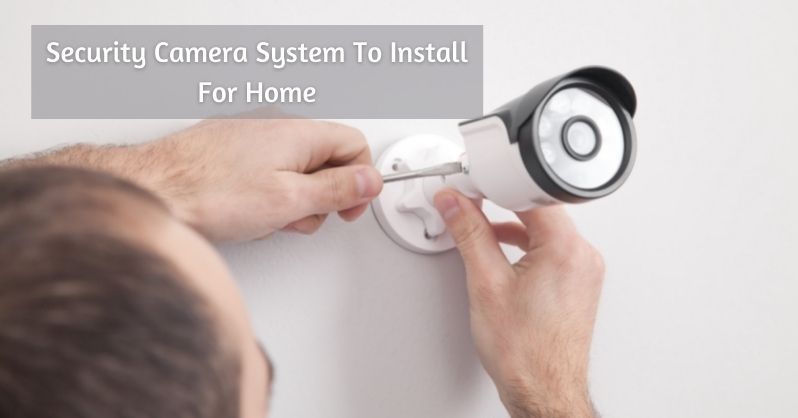
Camera technology has advanced to a point where even budget systems offer 1080p resolution, night vision, and real-time phone alerts. The challenge isn't finding a camera that technically works — it's knowing which features you actually need versus which ones are marketing filler. Resolution, storage type, field of view, and weatherproofing all carry real weight in this decision.
According to research on closed-circuit television systems, visible cameras are one of the most effective deterrents against residential property crime. Burglars consistently choose targets that feel unmonitored. A well-placed system doesn't just record events — it changes the calculation for anyone considering your home as a target.
Contents
- How the Best Home Security Camera Systems Have Changed
- Wired vs. Wireless: What the Numbers Actually Say
- Entry-Level vs. Pro-Grade: Knowing Where You Stand
- Mistakes That Leave Your Cameras Practically Useless
- Real Home Setups That Actually Work
- Fixing the Most Common Camera Problems
- Matching the Right Camera to Every Spot in Your Home
How the Best Home Security Camera Systems Have Changed
The Shift from Analog to IP Cameras
A decade ago, home security cameras meant grainy analog footage stored on a DVR tucked in a closet somewhere. If anything happened, you'd review hours of low-resolution tape hoping to catch something recognizable. That era is over. Modern IP cameras send crystal-clear digital video directly to cloud storage or a local NVR drive, with remote access from anywhere you have a phone signal. The jump from analog to IP technology is what made home surveillance genuinely useful for everyday homeowners — not just businesses with dedicated IT budgets.
Understanding how home security systems work at a basic level gives you a significant advantage when shopping. IP cameras encode video digitally at the source, which means they integrate directly with your router, your phone app, and your smart home ecosystem without any extra hardware bridges or complicated wiring schemes.
Smart Home Integration Changes Everything
Today's cameras don't just record — they trigger automations. Motion near your back door can turn on your porch lights, send a push notification, and save a clip to the cloud, all at the same time. Systems compatible with Google Home or Amazon Alexa let you pull up live feeds on a smart display with a single voice command. This level of connectivity is now standard, not a premium feature reserved for expensive systems.
Wired vs. Wireless: What the Numbers Actually Say
The Case for Wired Systems
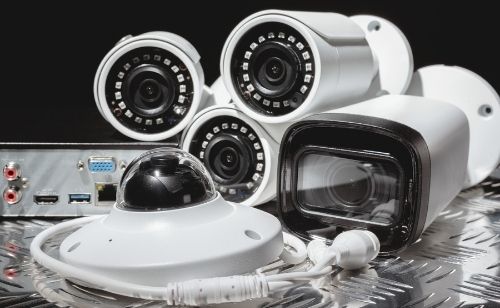
Wired systems — typically PoE (Power over Ethernet) or coaxial setups — offer the most stable, interference-free performance available in residential security. A wired connection eliminates the biggest vulnerability of any home camera: a dropped Wi-Fi signal at exactly the wrong moment. If you're installing cameras in a detached garage, along a fence line, or at the far end of a large yard, wired consistently outperforms Wi-Fi over distance without any configuration tricks required.
When Wireless Makes More Sense
Wireless systems win on flexibility and installation speed. No drilling through walls, no fishing cable through attics. If you're renting, in an apartment, or just want a functional setup running before the weekend is over, wireless gets the job done with minimal effort. The tradeoff is that your cameras depend entirely on your home network, which means router placement matters far more than most people anticipate when they buy their first camera.
| Feature | Wired (PoE / Coax) | Wireless (Wi-Fi / Battery) |
|---|---|---|
| Connection Stability | Excellent — no interference | Good — depends on signal strength |
| Installation Difficulty | High — requires cable runs | Low — plug in and connect |
| Power Source | PoE cable or wall outlet | Battery or nearby outlet |
| Scalability | High — NVR handles many feeds | Moderate — router bandwidth limits apply |
| Best For | Permanent installs, larger homes | Renters, apartments, quick setups |
| Typical Cost Range | $300–$1,500+ (full system) | $50–$400+ (per camera) |
Entry-Level vs. Pro-Grade: Knowing Where You Stand
What Entry-Level Gets You
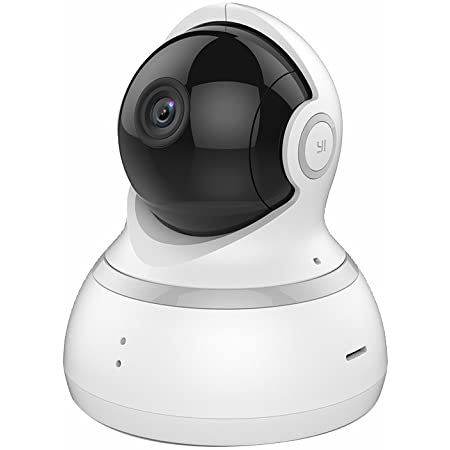
Entry-level cameras in the $50–$150 range — brands like YI, Wyze, and Blink — are genuinely capable for most indoor use cases. You get 1080p video, motion detection, two-way audio, and phone alerts out of the box. For a first-time setup or a renter who needs to cover the front door and main living area, these cameras handle the basics without overcomplicating anything. If you want compact options that don't sacrifice quality, our roundup of the best small indoor home security cameras is a practical starting point.
When to Go Pro
Pro-grade systems from brands like Hikvision, Axis, or Reolink's commercial line step up the resolution — 4K is standard at this tier — and add features like license plate recognition, person-versus-vehicle differentiation, and PoE infrastructure that scales cleanly across large properties. If you own a multi-story home, have a detached structure, or need more than six camera positions, a pro-grade NVR-based system pays for itself in reliability alone. The upfront cost is higher, but you're not replacing cameras every two years when the Wi-Fi antenna degrades or the battery chemistry gives out.
Mistakes That Leave Your Cameras Practically Useless
Poor Placement Decisions
The most common mistake homeowners make is mounting cameras too high. A camera aimed at the sky captures hats and rooflines — not faces. Optimal placement is 7–9 feet off the ground, angled slightly downward to capture faces and license plates clearly. Every camera should have a direct sightline to the entry point it's covering, not a sweeping panorama of open air and soffit.
Pointing cameras directly into morning or afternoon sunlight is another instant footage killer. Backlighting washes out the image entirely. Before you drill a single hole, check your planned camera positions at different times of day. What looks fine in overcast conditions can be completely unusable when the sun drops low in the sky.
Pro tip: Walk your property and shoot a short phone video from each planned camera position before mounting anything — you'll immediately see whether the angle captures a usable view or just an obstacle.
Ignoring Storage and Alert Settings
A camera that records to local storage with no cloud backup leaves you with nothing if the device gets stolen during the very incident you were trying to document. A camera set to alert you for every leaf that blows past trains you to ignore notifications — which is the opposite of what you want when something real happens. Dial in your motion sensitivity zones, enable person detection where it's available, and maintain at least a rolling seven-day cloud backup for your highest-priority camera positions like the front door and garage.
Real Home Setups That Actually Work
Small Apartment Setup
For an apartment or studio, two cameras cover nearly everything you need: one indoor camera facing the front door from inside, and one video doorbell mounted at the entrance. That combination gives you a clear view of who enters, who knocks, and any activity in the main living area. You don't need more hardware than that for a 600–1,200 square foot space. Keep storage in the cloud, skip the NVR entirely, and you have a complete functional system for well under $200.
Suburban House Setup
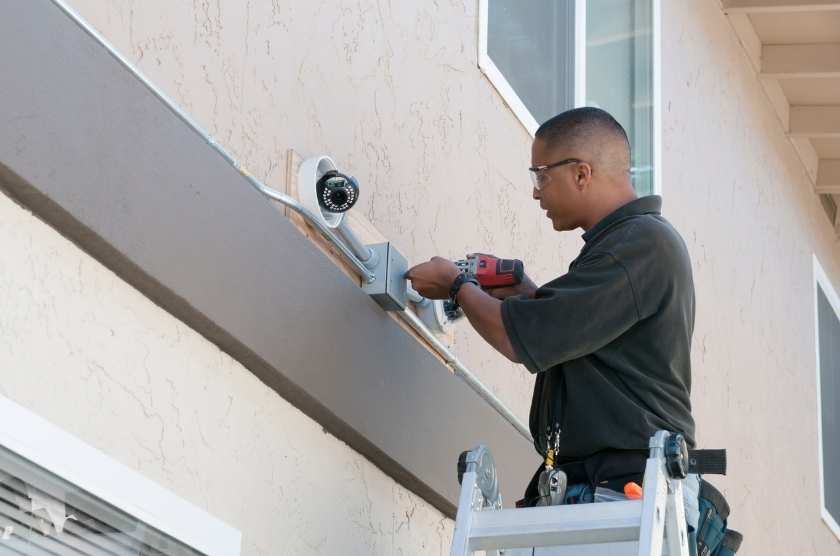
A typical three-bedroom house benefits from a four-to-six camera setup: front door, back door, garage entrance, driveway, and at least one side gate if the yard has one. This is where a wired PoE system starts making both financial and practical sense. Run the cables once, connect cameras to an NVR, and you have a system that runs for years without battery swaps or Wi-Fi dropouts during storms. Add a video doorbell at the front entry and your entire perimeter is covered without any meaningful gaps in coverage.
Fixing the Most Common Camera Problems
Connectivity and Signal Issues
If your wireless camera keeps going offline, the problem is almost never the camera itself — it's the network. Wi-Fi cameras struggle with 2.4GHz congestion in dense neighborhoods where dozens of networks compete for the same channels. Switching your camera to the 5GHz band (if the model supports it) or placing a mesh Wi-Fi extender in direct line of sight of the camera resolves this in the vast majority of cases. A camera that drops offline during an incident records nothing — treat network reliability as a core part of your system design, not a secondary concern.
Poor Night Vision Performance
Infrared night vision creates a strong reflection when a camera is mounted behind glass — the IR light bounces straight back into the lens and whites out the entire image. If you need indoor coverage pointing through a window, choose a camera with color night vision that uses ambient light instead of IR, or mount it outside where IR operates without obstruction. IR range also drops noticeably in rain, fog, or heavy snow, so factor local weather conditions into your expectations for any camera covering an exposed outdoor position.
Matching the Right Camera to Every Spot in Your Home
Front Door and Entryways
Your front door is the highest-priority camera position in any home security plan. A video doorbell covers this spot without requiring a separate outdoor camera — it handles package theft deterrence, visitor logging, and motion alerts in a single compact unit. If you want broader field coverage of the porch or driveway, pair the doorbell with a dedicated wide-angle outdoor camera mounted above the door. Our guide to the best wireless video doorbells with camera breaks down the top options currently available across multiple price points.
Backyard and Garage Coverage
Backyards and garages are the most overlooked areas in any home security camera plan. Garages are a primary target for tool theft and vehicle break-ins precisely because most homeowners focus exclusively on their front entry. A weatherproof outdoor camera at the garage entrance — ideally with color night vision for usable low-light footage — closes this gap quickly and inexpensively. For larger backyards, a fixed wide-angle camera at each corner of the structure covers far more ground reliably than a pan-tilt unit, which introduces moving parts and mechanical failure points over time.
Frequently Asked Questions
What resolution do I actually need for a home security camera?
1080p is the practical minimum for capturing clear facial features and license plates at distances up to 30 feet. If your driveway is longer than that or you want to digitally zoom into footage after the fact, 4K gives you significantly more detail to work with and is worth the storage overhead for critical positions.
Is cloud storage or local storage better for home cameras?
Both serve a real purpose. Cloud storage protects your footage even if the camera is stolen or physically destroyed, but it carries ongoing subscription fees. Local storage on an NVR or SD card has no monthly cost, though the footage is only as safe as the hardware itself. The best approach is a hybrid — local NVR with cloud backup for your highest-priority camera positions.
How many cameras does the average home actually need?
Most single-family homes are well-covered with four to six cameras: front door, back door, garage, driveway, and any side entrances or gates. An apartment typically needs just two — one indoor camera and one video doorbell. Cover every entry point and any area where high-value property is stored, and you've addressed the real risk points.
Do security cameras still work if the internet goes down?
Wired cameras connected to a local NVR continue recording without internet — footage saves directly to the drive. Wireless Wi-Fi cameras typically stop functioning if the connection drops because they rely on the network to operate. If continuous recording is non-negotiable for your setup, wired with local NVR storage is the more resilient architecture by a wide margin.
Can I install home security cameras myself?
Wireless cameras are straightforward DIY installs — most people have them running within 30 minutes of opening the box. Wired PoE systems are more involved but still manageable if you're comfortable drilling into walls and running cable through an attic or crawl space. Full coaxial multi-camera systems are where a professional installer genuinely saves time and frustration.
How do I keep my security cameras from being hacked?
Change the default password on every camera immediately after setup — this single step eliminates the most exploited attack vector. Keep firmware updated on both cameras and your router, use WPA3 network encryption if your router supports it, and isolate cameras on a dedicated IoT VLAN if your router makes that straightforward. Avoid cameras from obscure brands with no documented security track record.
Which features matter most when comparing the best home security camera systems?
Prioritize image quality at your required distances, local or cloud storage reliability, motion detection accuracy (person detection beats pure pixel-change detection), weatherproofing rating for outdoor units, and the quality of the app experience. Brand ecosystem matters too — a camera that integrates cleanly with your existing smart home platform will get used. One that requires a separate login and a clunky app usually gets ignored.
The best home security camera system is the one that's properly installed, correctly aimed, and backed by reliable storage — not the most expensive one sitting in your shopping cart.


About Vincent Foster
Greetings, This is Tom Vincent. I’m a home Security Expert and Web developer. I am a fan of technology, home security, entrepreneurship, and DIY. I’m also interested in web development and gardening. I always try to share my experience with my reader. Stay Connected and Keep Reading My Blog. Follow Me: Facebook, Twitter, Pinterest
Now you can get FREE Gifts. Or latest Free Security Cameras here.
Disable Ad block to reveal all the gifts. Once done, hit a button below